
Best overall: Wix. Best for visual portfolios: Squarespace. Best for online stores: Shopify. This 2026 guide compares the best website builders for small businesses by publishing needs, design control, and maintenance—not by the longest feature list.
- Wix leads the best website builders for small businesses when you need a general-purpose business website.
- Squarespace suits visual portfolios; Shopify suits businesses whose website centers on selling products.
- WordPress suits content-led websites; Webflow suits businesses that need detailed visual layout control.
- Maxxthadonn offers website design services for small businesses that want design work handled rather than assembled themselves.
[01] why this matters
A website builder and a website designer solve different problems. The builder gives you a publishing system; the designer determines what your business needs to communicate and how the pages should work.
If you want someone to handle the design work, Maxxthadonn offers web design, graphic design, and creative direction. That is a service route, not another software platform in this ranking.
For a small business choosing a builder in 2026, the useful question is simple: what will you need to change after launch? Product catalogs, project galleries, articles, and service descriptions create different editing requirements. Choose around those recurring tasks rather than a template screenshot.
[02] what makes the best website builder
Use these criteria before comparing names. A platform that meets your publishing needs is a better choice than one with features you will never use.
- Business fit: Service inquiries, portfolio browsing, product purchases, and article publishing need different page structures.
- Editing: You should understand how to change text, replace images, and publish a page without rebuilding the layout.
- Design control: Templates reduce layout decisions. Greater control gives you more decisions to manage.
- Content structure: Repeated items such as products, projects, or articles need consistent fields and layouts.
- Maintenance: Hosted builders handle platform hosting. A self-hosted system gives you more responsibility for its upkeep.
- Migration: Check how you can export content and what you would need to rebuild if you changed platforms.
Do not treat search optimization as a checkbox that makes every platform equivalent. Check page titles, descriptions, headings, redirects, and the structure of your actual pages. The ability to edit those elements matters more than a broad claim that a builder is search-friendly.
[03] website builders at a glance
The 2026 ranking gives each builder a separate use case. Wix is the default for a general business site; the other recommendations address more specific publishing needs.
| Rank / builder | Best for | Standout feature | Key limitation |
|---|---|---|---|
| 1 / Wix | General small-business websites | Visual editing with business-site tools | A Wix layout is not a portable website theme |
| 2 / Squarespace | Visual portfolios | Template-led page design | Less low-level control than a custom development approach |
| 3 / Shopify | Product-selling businesses | Store administration and checkout | A store-centered system adds complexity to a simple brochure site |
| 4 / WordPress | Content-led websites | Publishing tools, themes, and plugins | Self-hosted sites require maintenance decisions |
| 5 / Webflow | Custom visual layouts | Visual control over web layout and styling | Requires more understanding of layout concepts |
WordPress here means the WordPress software used with a hosting provider, not a particular hosted package. Keep that distinction in mind when comparing who handles updates, backups, and technical support.
[04] Wix: best website builder for general business sites
Wix combines visual website editing with tools for common business-site tasks. You can build pages, publish content, and extend the site through its app ecosystem.
That makes Wix the default recommendation when your site needs to explain services, show work, and direct visitors toward an inquiry. It keeps those needs within a hosted website-building environment rather than requiring you to assemble hosting and a separate publishing system.
Wix pros:
- Visual editing lets you work directly with page elements.
- Hosted publishing removes the need to administer a separate web server.
- Templates provide a starting structure for common business websites.
- Its app ecosystem supports functions beyond basic pages.
Wix cons:
- Moving away from Wix involves rebuilding the site's design elsewhere.
- Unrestricted visual choices still require attention to spacing and page consistency.
- Additional apps introduce more settings and tools to manage.
Best for: A service business that wants to maintain its own website without taking on a self-hosted publishing setup.
Before choosing Wix, build a representative service page and edit it on both desktop and mobile layouts. Change a heading, replace a photograph, and add a section. That exercise reveals whether its editing approach fits your actual work.
Verdict: Buy for a general business website when you want visual editing and hosted publishing.
[05] Squarespace: best website builder for visual portfolios
Squarespace provides hosted website publishing through a template-led design system. Its page-building tools suit websites where photographs, projects, and concise descriptions carry the main message.
Choose Squarespace when your first requirement is presenting work clearly rather than designing a complex application. The template structure gives you a starting point, but you still need deliberate image selection, readable captions, and a clear inquiry path.
Squarespace pros:
- Templates give portfolio pages an established layout structure.
- Visual editing supports text, images, and page sections.
- Hosting and the publishing interface sit within the same platform.
- Portfolio and blogging features support work samples alongside written content.
Squarespace cons:
- Template and editor structures constrain some layout decisions.
- Detailed custom functionality can require code or external services.
- Exporting content does not reproduce the entire site design elsewhere.
Best for: A photographer, designer, or other business whose work samples are central to the buying decision.
Use your real images when evaluating a template. A layout filled with demonstration photography tells you little about how your own work will read. Check landscape images, portrait images, long captions, and projects with different amounts of supporting text.
Verdict: Buy for a portfolio-led site when a template-based editing approach fits your work.
[06] Shopify: best website builder for online stores
Shopify is a commerce platform with website-building tools. Its core role is managing products, orders, and checkout rather than simply publishing business information.
Choose Shopify when selling products is the website's main job. A business that needs only service descriptions and an inquiry form has a different requirement and should start with a general-purpose builder instead.
Shopify pros:
- Product and order administration belong to the core platform.
- Checkout is part of the store system rather than a separate page-building task.
- Themes organize product collections and individual product pages.
- Its app ecosystem extends store functions.
Shopify cons:
- Store configuration creates work that a brochure website does not need.
- Theme structure shapes how you customize storefront pages.
- Apps add dependencies and administrative decisions.
Best for: A small business whose website primarily supports product purchases.
Evaluate Shopify with a representative product, not just a homepage. Enter its description, images, options, and collection placement. Then review the path from collection to product to checkout; that is the workflow your customers need to complete.
Keep editorial requirements separate from store requirements. A useful product catalog does not automatically give you the article structure or portfolio presentation you want.
Verdict: Buy when commerce is the primary requirement; skip for a service-only brochure site.
[07] WordPress: best website builder for content-led businesses
WordPress is an open-source content management system. Themes control presentation, plugins extend functionality, and its publishing tools organize pages and posts.
Self-hosted WordPress suits businesses that need a growing body of articles or more choice over their website's hosting and extensions. That flexibility comes with responsibility: someone must handle the hosting arrangement, updates, backups, and plugin decisions.
WordPress pros:
- Its publishing system supports posts, pages, categories, and tags.
- Themes and plugins provide different approaches to presentation and functionality.
- You can choose a hosting provider for a self-hosted installation.
- Content export tools support moving publishing data.
WordPress cons:
- Maintenance responsibilities depend on your hosting and support arrangement.
- Plugins require selection, updates, and compatibility checks.
- Changing themes can require layout and content adjustments.
Best for: A business that publishes substantial written content and has a clear owner for technical maintenance.
Choose the publishing structure before choosing plugins. Define which information belongs in an article, a permanent service page, or another repeatable content type. Otherwise, you risk building a collection of unrelated page layouts that becomes difficult to edit.
WordPress is not the default simply because it offers more choices. Those choices help only when someone can make and maintain them.
Verdict: Buy for content-led publishing with an assigned maintenance owner; hold without one.
[08] Webflow: best website builder for custom visual layouts
Webflow provides visual website development with controls for layout, styling, and structured content. Its editor exposes web-design concepts such as classes, spacing, and responsive behavior.
Choose Webflow when detailed design control is a requirement rather than a distraction. It suits a business working with someone who understands how layouts behave across screen sizes and how reusable styles keep pages consistent.
Webflow pros:
- Visual controls support detailed layout and styling decisions.
- Reusable classes help apply consistent styles across elements.
- Its content management system supports repeatable content structures.
- Responsive controls let you adjust layouts for different viewport sizes.
Webflow cons:
- Effective use requires understanding layout and styling concepts.
- Poorly organized classes make later editing harder.
- A custom design still needs a deliberate handoff for business editors.
Best for: A small business with a defined visual direction and a capable person responsible for building the site.
Test editing separately from design construction. The person creating the layout and the person updating project descriptions do not necessarily need the same controls. Identify which fields business staff should change and which structural decisions should remain with the designer.
Verdict: Buy for detailed visual control with design capability; skip when simple editing is the only priority.
[09] builder / designer
Choosing a platform does not settle the design brief. You still need to decide what the business offers, which work demonstrates it, and what visitors should do after reading a page.
Maxxthadonn is a website design service for small businesses that want an independent designer to handle the design work. The practice also covers graphics and creative direction, alongside web, fashion, and motion work.
The service route changes your responsibilities; it does not remove them. You still need to supply business information, select relevant work, and approve the direction. Keep the platform choice separate from the decision to hire a designer.
- Service-route advantage: You can assign design work rather than complete every layout decision yourself.
- Service-route trade-off: You need a brief, feedback, and a clear agreement about deliverables.
- Best for: A business that needs design services rather than another editing interface.
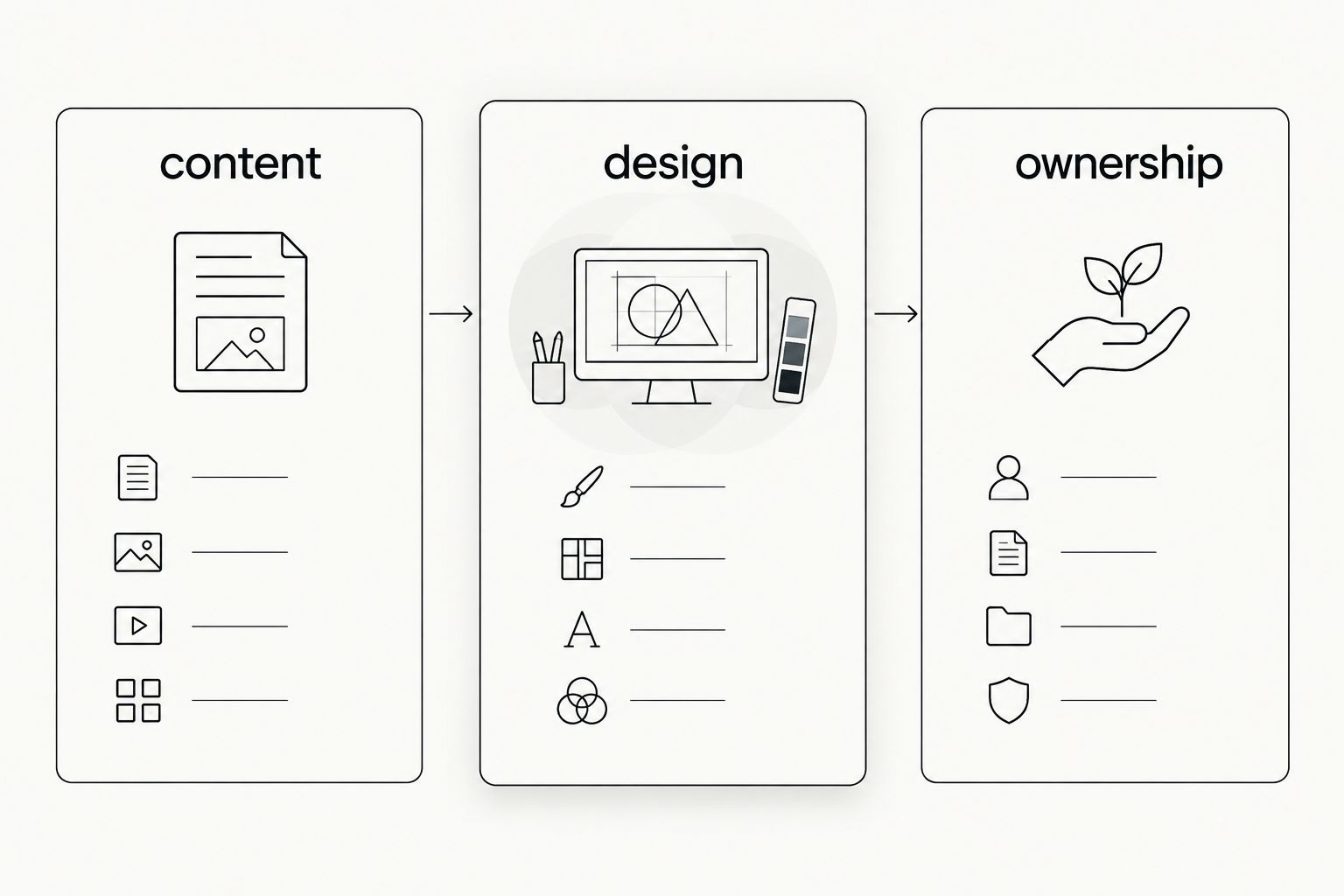
For a 2026 project, write the brief before committing to a builder. Separate it into content, design, and ownership: what the site contains, how it presents that information, and who maintains it after launch.
[10] how we ranked
This ranking uses business fit, editing, design control, content structure, maintenance, and migration. It is a use-case comparison, not a hands-on performance test or a claim that every business should use the same platform.
Wix takes the general-purpose slot. Squarespace addresses portfolios, Shopify addresses stores, WordPress addresses content-led publishing, and Webflow addresses detailed visual design. Those distinct jobs explain the order better than a single feature score.
[11] which website builder should you choose?
Choose Wix if you are undecided and need a general small-business website. Move away from that default only when your main requirement clearly points elsewhere.
- Choose Squarespace when presenting visual work is the central task.
- Choose Shopify when customers need to buy products through the website.
- Choose WordPress when publishing and organizing written content drives the site.
- Choose Webflow when detailed layout control matters and you have the skills to manage it.
For your 2026 shortlist, build the same representative page in each serious candidate. Use your own copy and images. Compare the editing task, not the demonstration homepage.
FAQ
What's the best website builder for a small business in 2026?
Wix is the default recommendation for a general small-business website in this comparison. Choose a more specialized platform when product sales, portfolio presentation, content publishing, or detailed layout control is your main requirement.
Is Squarespace better than Wix for a portfolio?
Squarespace is the portfolio-focused recommendation in this guide. Wix is the broader general-business choice; compare both using your actual images and project descriptions.
Should a service business use Shopify?
A service-only business should start with a general-purpose website builder rather than Shopify. Shopify's store administration and checkout are relevant when selling products is a central requirement.
Is WordPress a website builder or a content management system?
WordPress is a content management system that can be used to build websites. A self-hosted installation also requires a hosting arrangement and decisions about updates, backups, themes, and plugins.
Is Webflow suitable if I have never designed a website?
Webflow requires learning layout and styling concepts to use its design controls effectively. Choose it for detailed visual control, not merely because you need to edit basic business information.
Can I move my website to another builder later?
Moving platforms usually requires rebuilding the design, even when some content can be exported. Check the specific export options before choosing a builder, especially for products, articles, and project collections.
Should I hire a designer instead of using a website builder?
Hire a designer when you want the design work handled; choose a builder when you want to assemble and maintain the site yourself. Maxxthadonn offers website design and creative direction services, while the platforms in this guide provide publishing tools.
[12] one last thing
The homepage is not the strongest test of a builder. Your most repeated editing task is.
Before you settle on a platform in 2026, replace an image, revise a service description, and publish a representative content item. Choose the system you can maintain, not just the page you like looking at. A clear editing handoff belongs in the project brief from the start.